
Application guide#
This documentation maps the complete remote.futrx application: how to use every product surface, why it is designed around project-scoped agent computers, who can use each capability, and how requests move through the system.
Choose your path#
| Reader | Start here |
|---|---|
| Product user | User guide |
| Server operator | Deployment and operations |
| Architect or security reviewer | Philosophy, then System overview and the Threat model |
| Contributor | Agent integration guide, API and realtime, Data and frontend state, then the code maps |
Read in this order#
| Document | Covers |
|---|---|
| User guide | Task-oriented walkthroughs, screenshots, daily recipes, troubleshooting, and the complete feature reference |
| 00-philosophy.md | Product doctrine, local-resource model, project and provider homes, capability and control envelopes, isolation boundaries, invariants, and hardening path |
| 01-system-overview.md | Product surfaces, runtime components, and the main end-to-end flow |
| 02-auth-users-and-access.md | Admin setup, Google users, provider login, roles, and project access |
| 03-projects-and-containers.md | Project creation, LXD lifecycle, secrets, sharing, limits, and inspection |
| 04-chat-and-agents.md | Chats, prompt execution, providers, modes, skills, streaming, fork, and rewind |
| 05-workspace-tools.md | Attachments, files, terminal, Git history, and browser IDE |
| 06-scheduled-tasks.md | Host scheduler, task state, capability-scoped agent tools, overlap, guardrails, and recovery |
| 10-usage-and-cost.md | Token and cost ledger, per-provider accuracy, price table, aggregation API, and rebuild |
| 06-previews-and-browser.md | App discovery, HTTPS preview URLs, element inspection, and Agent Browser |
| 07-data-and-frontend-state.md | File-backed persistence, workspace files, entities, and UI state |
| 08-api-and-realtime.md | HTTP endpoints, WebSockets, events, and access gates |
| 09-deployment-and-operations.md | Install, proxying, base images, updates, recovery, and security hardening |
| Agent integration developer guide | Module factory contract, concrete adapter boundary, parsing, capabilities, authentication, provisioning, and adding a provider |
Cross-cutting references#
| Document | Covers |
|---|---|
| ../../ARCHITECTURE.md | Top-level architecture: topology, layers, data flow, and trust boundaries |
| ../threat-model.md | STRIDE threat model per trust boundary, with mitigations and residual gaps |
| ../known-limitations.md | Current scaling, operational, and functional constraints |
| ../dev/agents/README.md | Complete contributor guide for registering and implementing agent integrations |
Feature map#
flowchart TD
App["remote.futrx"]
App --> Identity["Identity and access"]
App --> Workspace["AI workspaces"]
App --> Tools["Workspace tools"]
App --> Runtime["Container runtime"]
App --> Ops["Self-hosting operations"]
Identity --> Admin["Local administrator"]
Identity --> Users["Invited Google users"]
Identity --> Sharing["Per-project membership"]
Workspace --> Providers["Claude, Codex, MiniMax, Kimi, Antigravity"]
Workspace --> Chat["Streaming chats"]
Workspace --> Skills["Reusable skills"]
Workspace --> Schedules["One-time and recurring tasks"]
Tools --> Files["Files and uploads"]
Tools --> Terminal["Interactive terminal"]
Tools --> Git["Git history and restore"]
Tools --> Browser["IDE and browser views"]
Runtime --> Projects["One LXD container per project"]
Runtime --> Previews["Discovered app ports"]
Runtime --> Secrets["Managed environment values"]
Ops --> Install["Install and HTTPS"]
Ops --> Update["App and workspace updates"]
Ops --> Recovery["Health and network repair"]
Scope notes#
- The User Guide describes the current UI and calls out source-vs-demo discrepancies rather than promoting features that are no longer implemented.
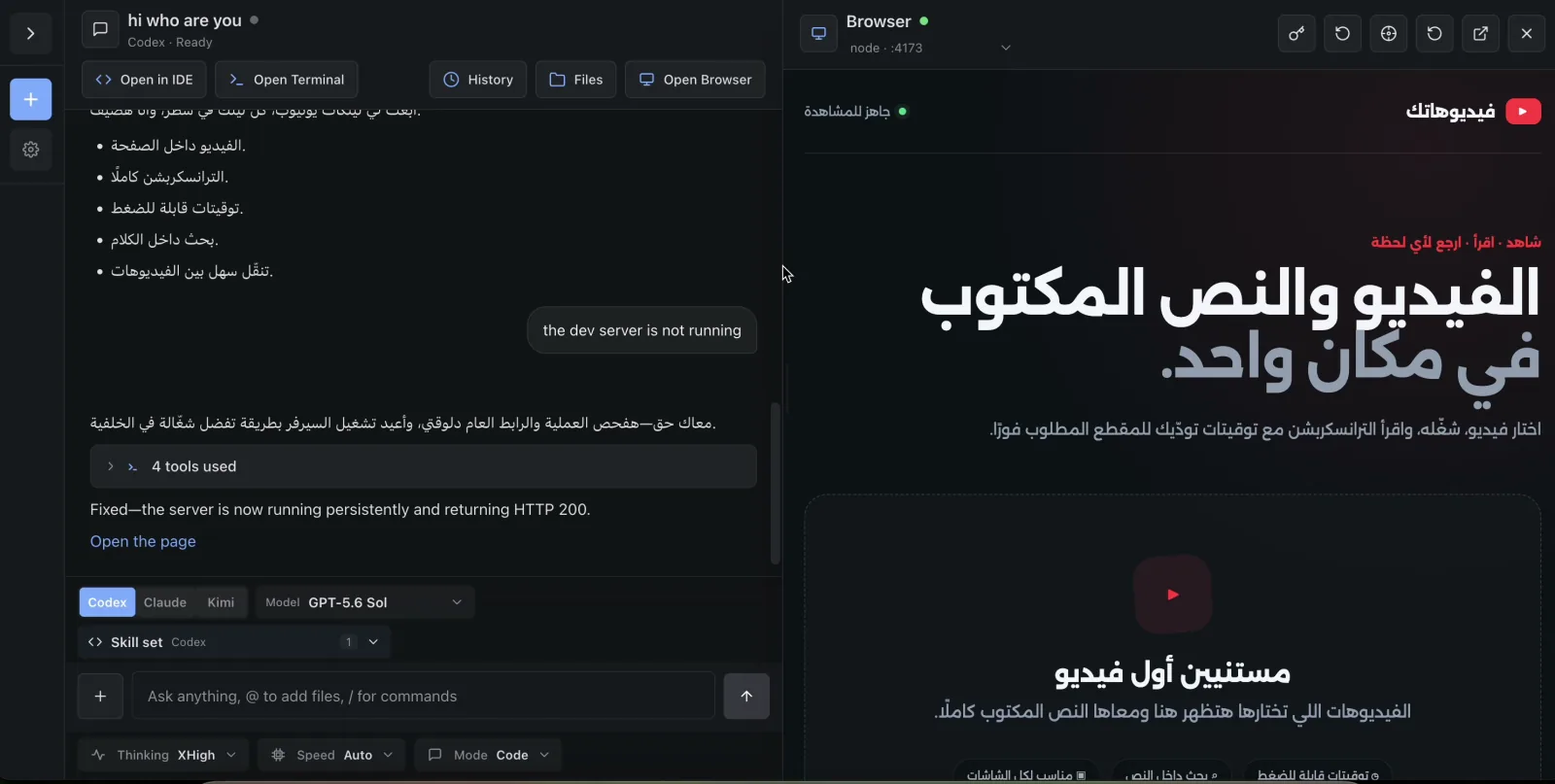
- Product screenshots are authentic captures from the July 22, 2026 walkthrough; diagrams explain behavior that a still image cannot prove.
- The browser UI is Preact, TypeScript, Vite, and Tailwind.
- The backend is one Go process serving the API, WebSockets, and embedded frontend.
- Project execution happens in LXD containers; the durable workspace and provider homes live on the host and are bind-mounted into each container.
- Metadata uses JSON and JSONL files rather than a database.